
Optimize Job Resumes
Optimize resumes for specific job opportunities to increase your clients' chances of landing interviews. This guide walks you through the resume optimization workflow for jobs, including uploading documents and managing optimized versions.
Optimize Resumes for Jobs
When a client is applying for a specific role, you can create a tailored version of their resume that highlights the skills, experience, and keywords most relevant to that position.
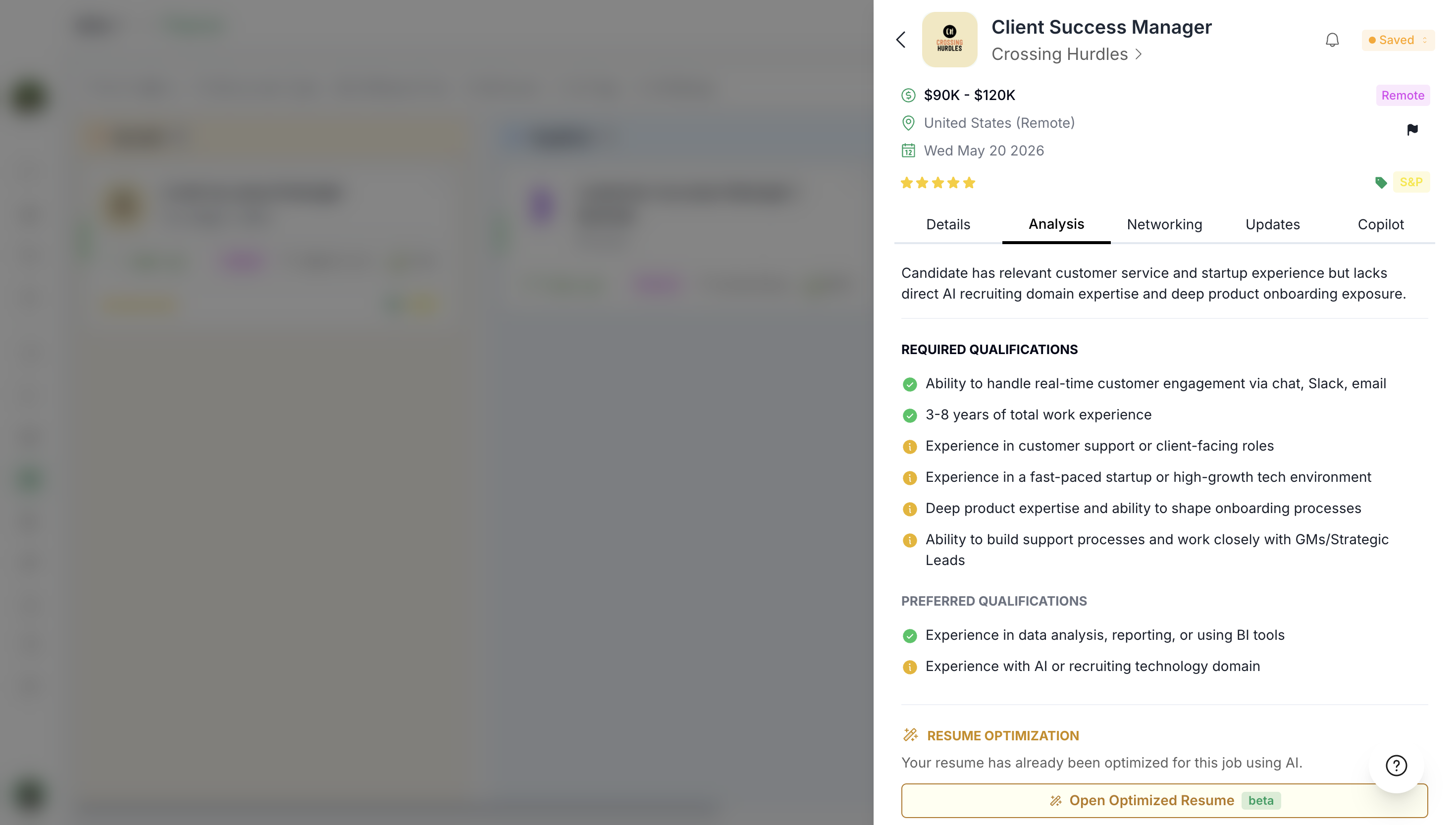
The optimization process analyzes the job description and adjusts the resume content to better match what recruiters and applicant tracking systems (ATS) are looking for.
Job-specific resume optimization updates content based on the target role while preserving your client's core information and achievements.
Open your Preferred Job
To optimize a resume for a job:
Navigate to the job you want to optimize for.
Go to the Analysis section.
Click to upload a new resume file or select from previously uploaded documents.
The system creates a job-specific version of the resume for optimization.
Saving your optimized resume preserves it for that specific job. For example, if you save the optimized version, when you return to this resume later, it will retain all the tailored changes you made for this role.
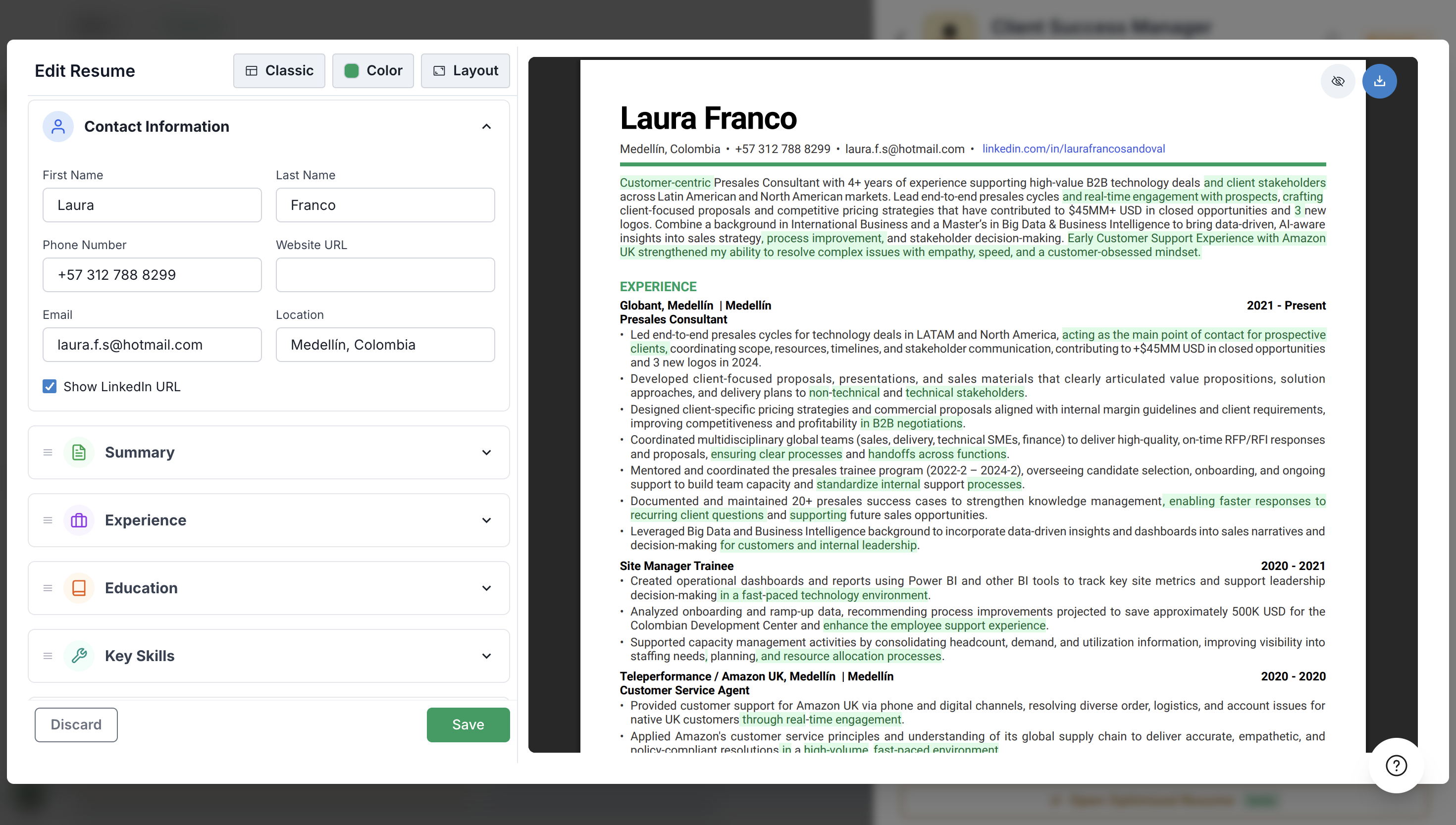
Reopen and Edit Optimized Resumes
After saving an optimized resume for a specific job, you can return to it at any time to make further adjustments.
To reopen an optimized resume:
Go to the job in your list.
Click to open the previously optimized resume.
Make any additional edits using the section editor.
Save your changes when done.
Each job maintains its own optimized resume version, so changes made for one job do not affect resumes optimized for other positions.
Use the optimized resume when submitting applications to present the most relevant, tailored version of your client's background for each specific opportunity.
Video Walkthrough
Watch the complete video demonstration of optimizing job resumes: