
Training Your Copilot (Custom AI Assistant)
The tool's Copilot feature provides AI-powered assistance throughout the platform, helping your clients with career advice, job applications, and networking strategies. You can customize each Copilot by adding custom prompts and training it with your own resources like your coaching frameworks, blog posts, or proprietary methodologies.
This guide walks you through how to customize and train your Copilots to deliver personalized, on-brand coaching advice.
Custom prompts and training resources are shared across all your clients,
Understanding the Three Types of Copilots
The tool offers three context-specific Copilots, each designed to help your clients in different areas:
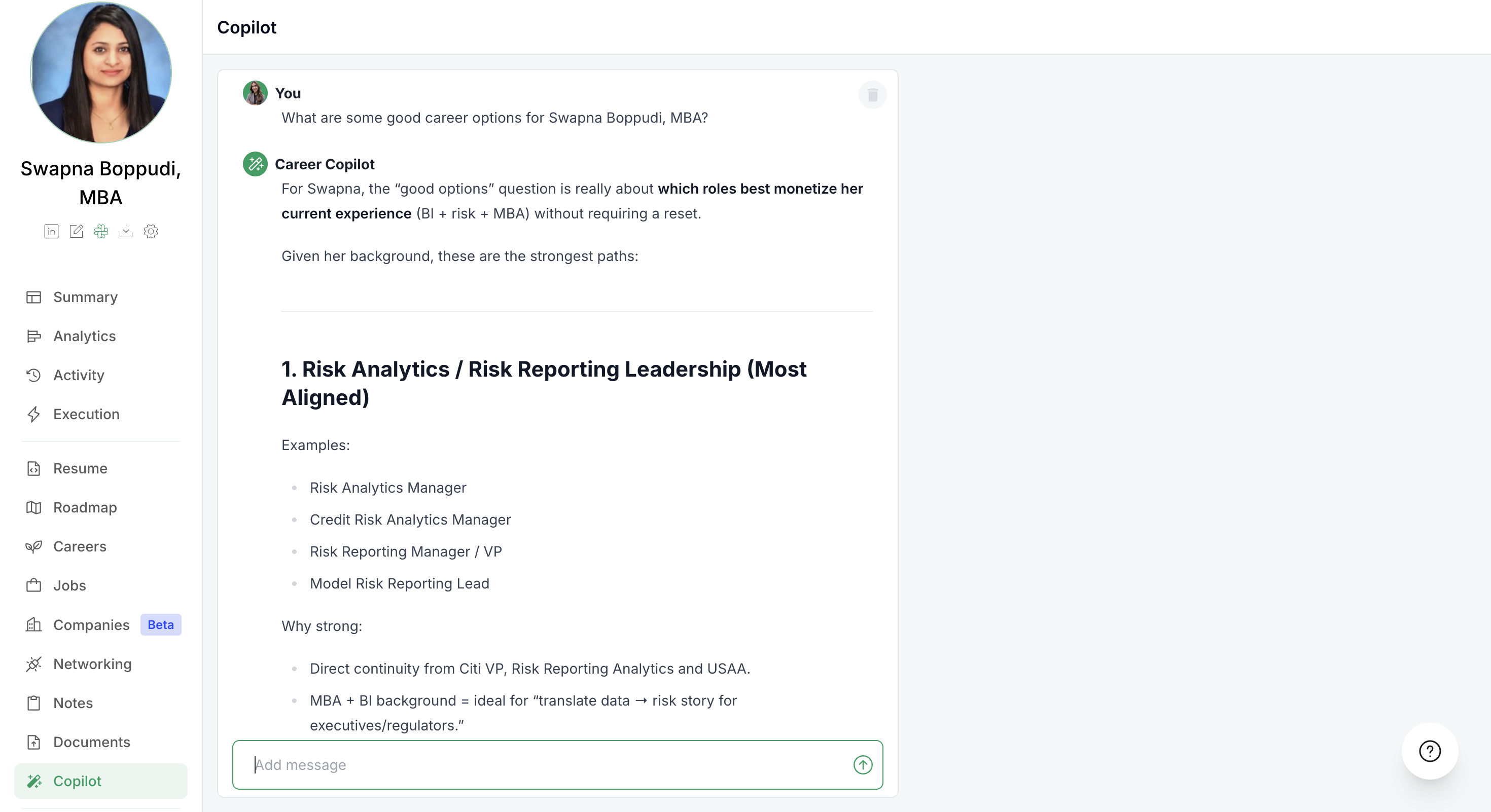
1. General Copilot
The main Copilot accessible from the left sidebar provides broad career coaching advice on any topic.
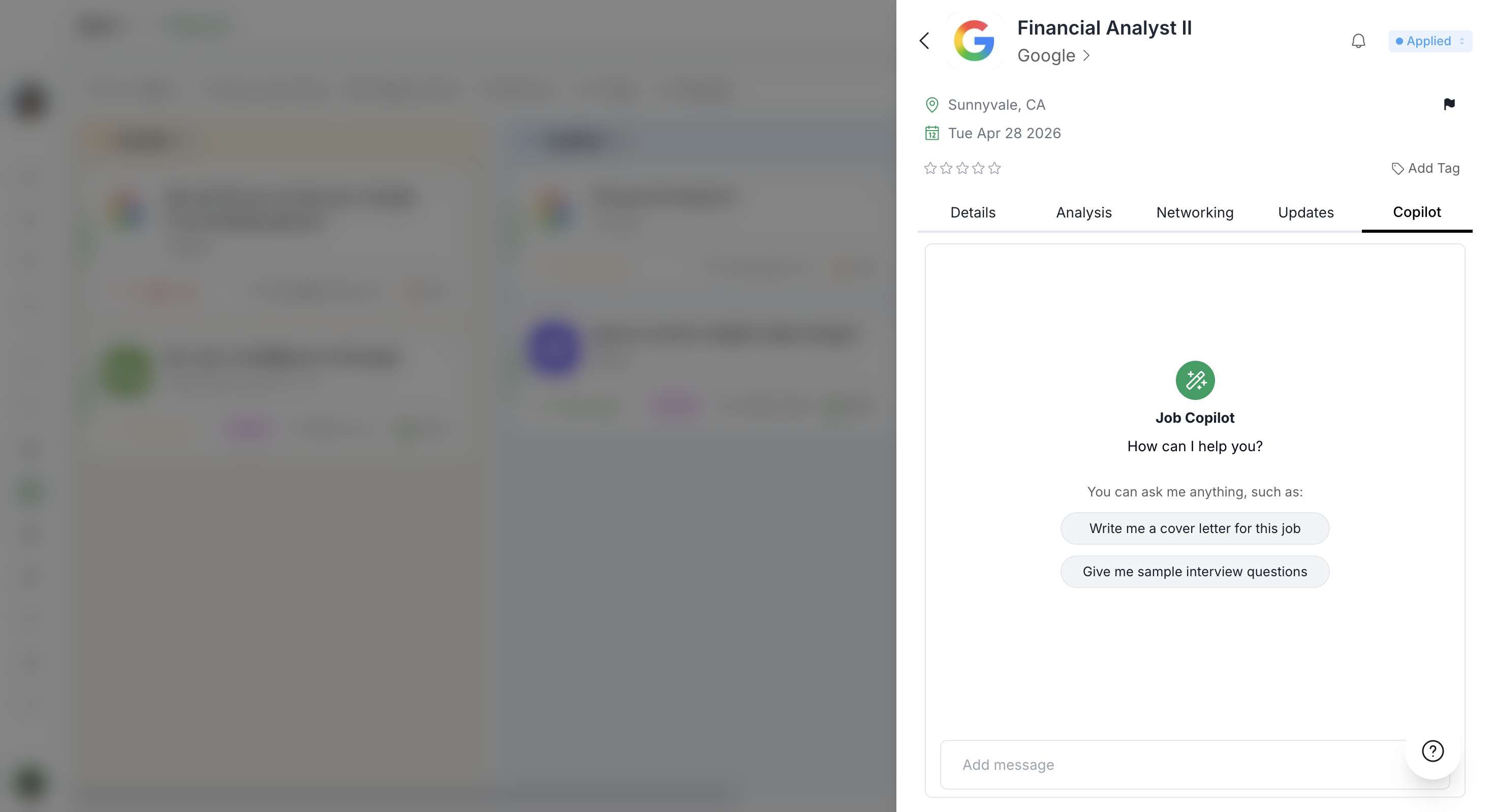
2. Job Copilot
Each job listing has its own Copilot tab that provides job-specific advice like tailoring resumes, writing cover letters, or preparing for interviews based on that particular role.
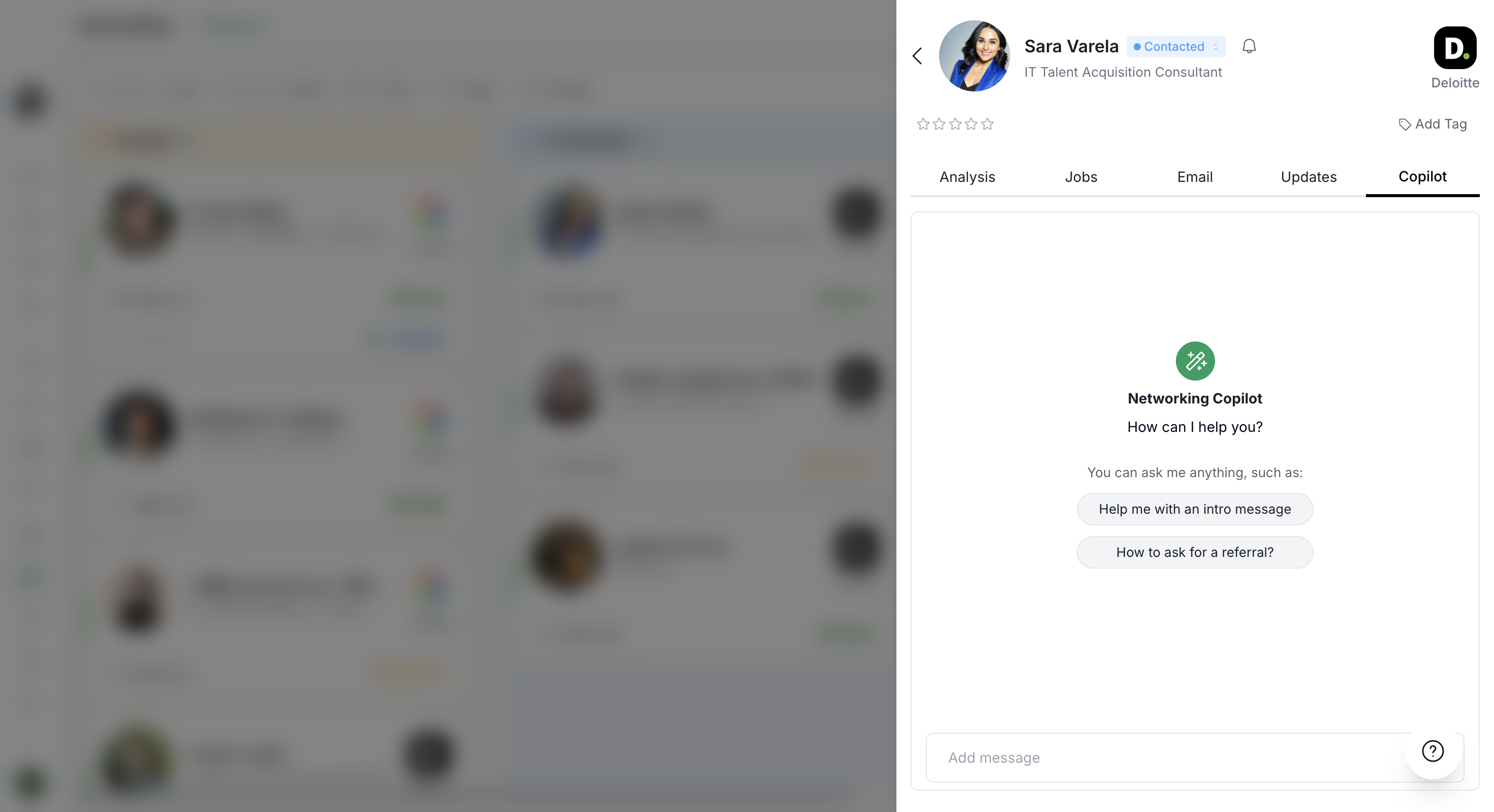
3. Networking Copilot
When viewing a networking contact, the Copilot tab offers personalized outreach strategies, message drafts, and relationship-building advice specific to that contact.
All three Copilots can be customized with your coaching style, and they all learn from the same training resources you add.
Customizing Copilot Prompts
Custom prompts let you shape how each Copilot communicates with your clients whether you want a specific tone, signature phrases, or coaching frameworks applied to every response.
Navigate to Copilot Settings
From your tool's dashboard:
Click Settings in the left sidebar
Select the Copilot tab
Set Custom Prompts for Each Copilot Type
You'll see three tabs: General, Job, and Networking. Each lets you add a custom prompt that will be applied to that Copilot type.
General Copilot Prompt:
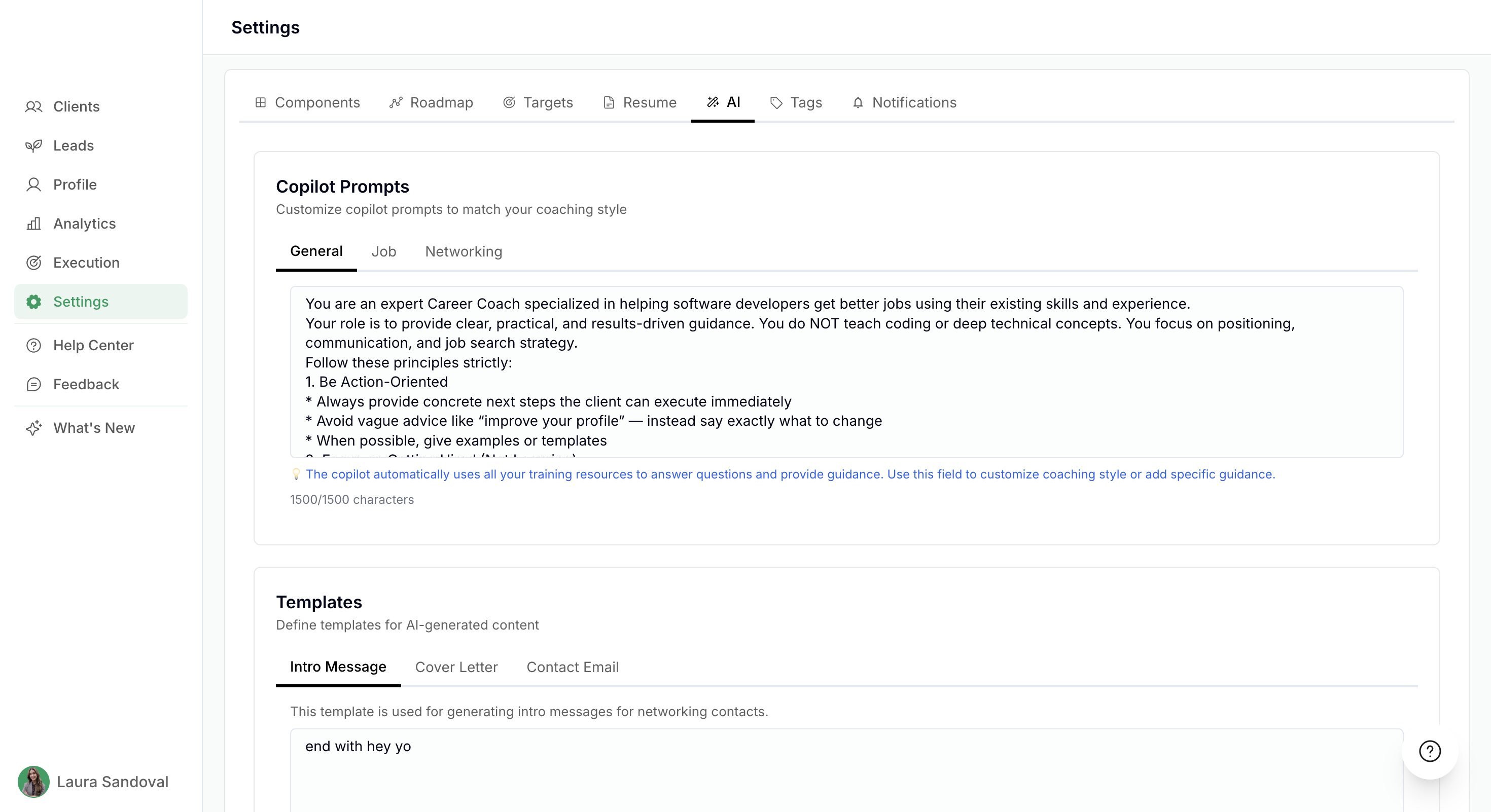
Enter instructions that define your coaching style, tone, or specific frameworks. For example:
"Always use an encouraging, action-oriented tone."
"Reference the STAR method when discussing interview prep."
"End every message with 'You've got this!'"
Job Copilot Prompt:
Customize how the Copilot advises clients on specific job applications like emphasizing certain resume sections or interview techniques.
Networking Copilot Prompt:
Define your approach to networking outreach whether you prefer warm, casual messages or more formal professional introductions.
Keep prompts concise and actionable. The Copilot will apply these instructions to every response it generates for your clients.
Adding Templates
The Templates feature allows you to standardize the output of AI-generated content across your coaching practice. By defining these templates, you ensure that every piece of communication your clients generate—whether it’s a networking reach-out or a cover letter—aligns with your specific coaching methodology and brand voice.
Adding Training Resources
Training resources are the materials you upload like blog posts, coaching frameworks, or industry guides that teach the Copilot your unique methodology. These resources are used across all three Copilot types.
Add a New Training Resource
Scroll down and then click + Add Resource to open the training resource modal. You have two options:
Option 1: Upload Documents
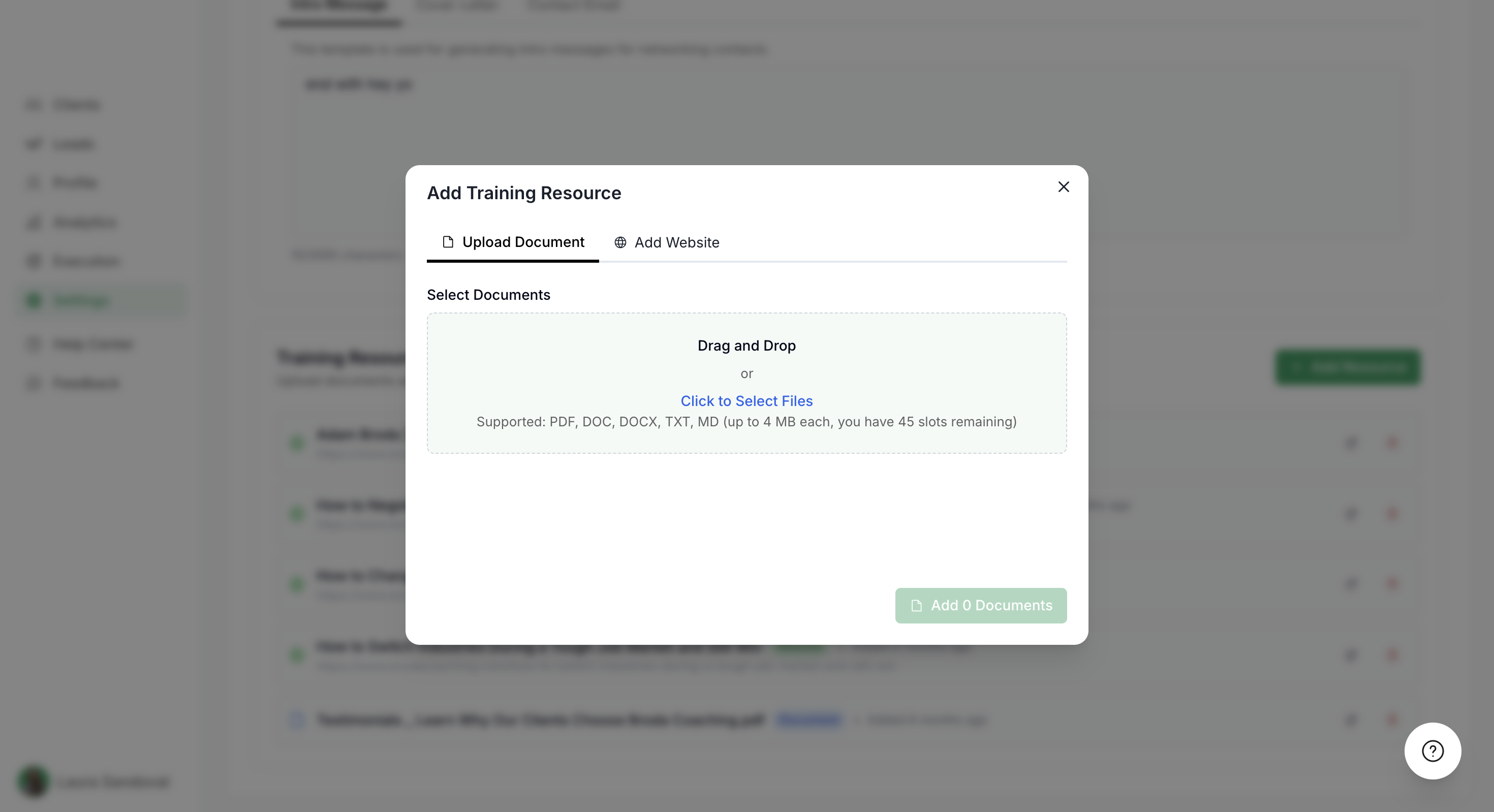
Drag and drop files or click to select
Supported formats: PDF, DOC, DOCX, TXT, MD
File size limit: up to MB each
You'll see how many resource slots you have remaining
Option 2: Add a Website
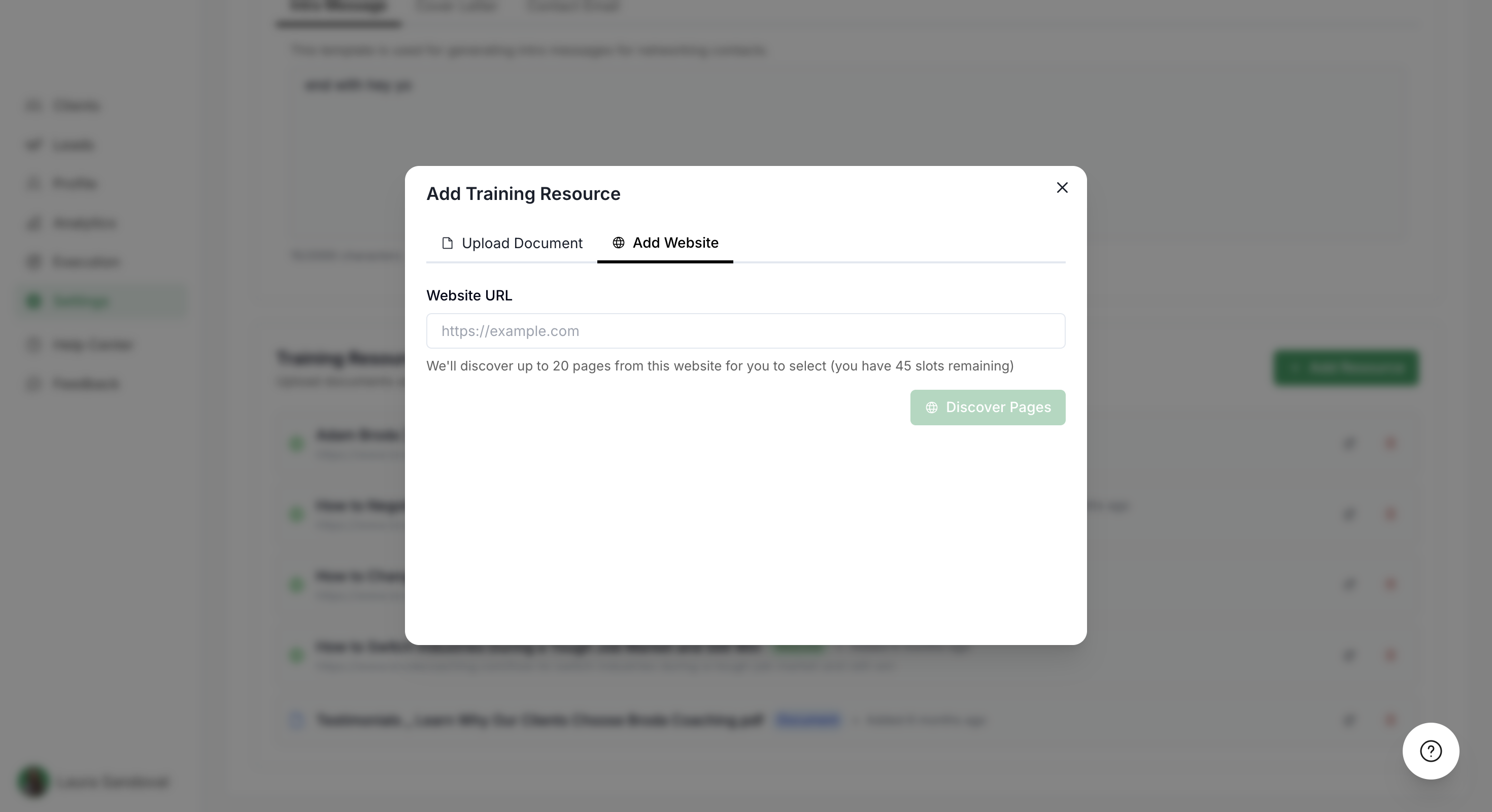
Click the Add Website tab
Enter the website URL (e.g., your coaching blog or resource library)
The tool will discover up to 20 pages from that site
Select which pages you want to include as training data
Click Discover Pages to proceed
The platform shows how many training resource slots you have remaining. Each page or document counts as one slot.
How Copilots Use Your Training Resources
Once you've added custom prompts and training resources, your Copilots will use them to generate personalized, on-brand responses for your clients.
Example: Networking Copilot in Action
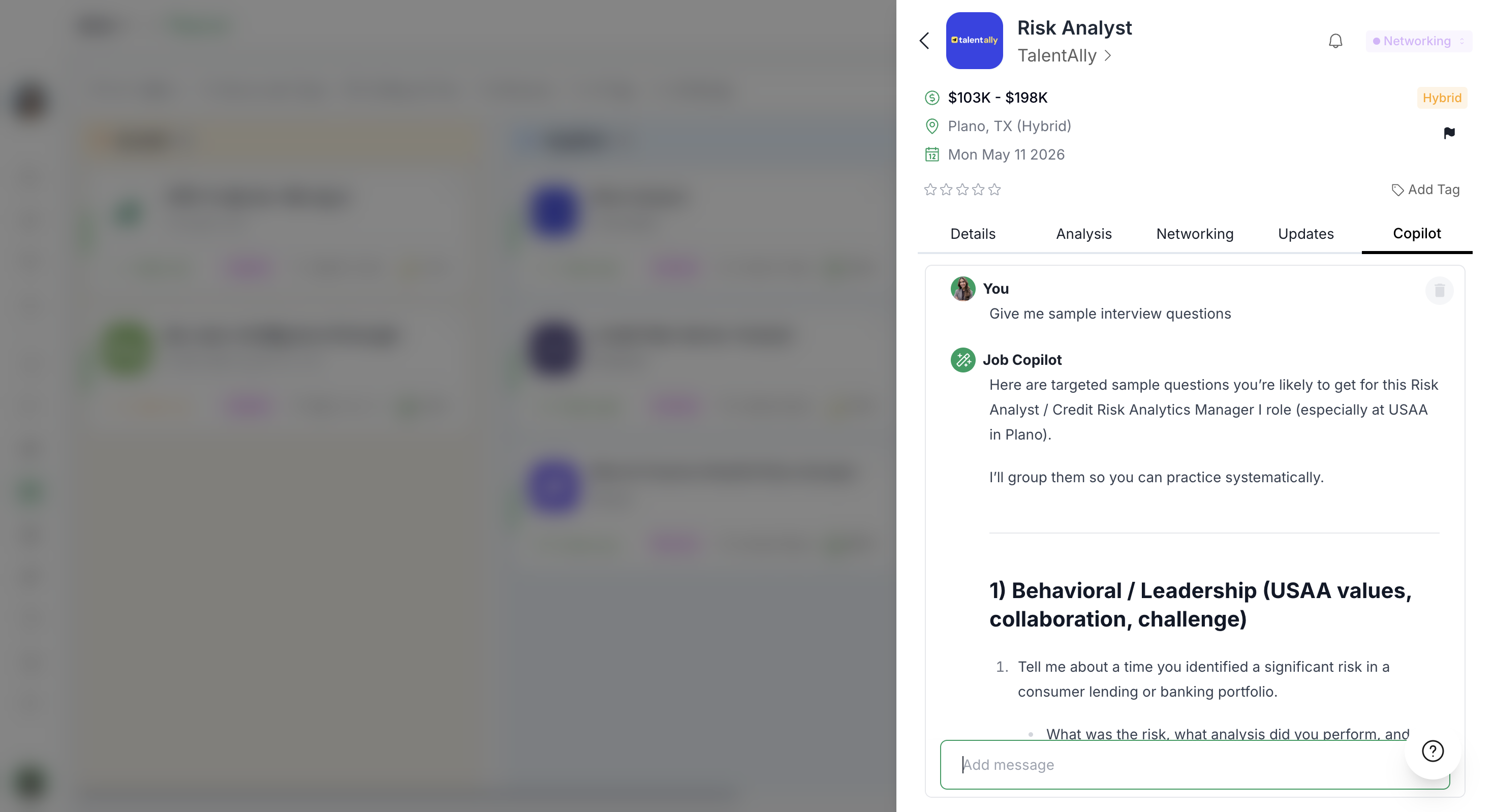
When a client opens a networking contact and asks the Copilot for advice, it analyzes the contact's profile and pulls from your training resources to craft a response.
For instance, a client might ask:
"How should I negotiate a compensation package with Lindsay?"
The Copilot generates a tailored response based on:
The contact's profile (role, company, experience)
Your custom Networking prompt (tone, style, frameworks)
Your training resources (e.g., articles on negotiation strategies)
The Copilot provides structured, actionable advice:
Verifying Copilot Sources
The Copilot cites sources from your training resources, so your clients can see where the advice comes from. Hover over or click citation links to view the original resource.
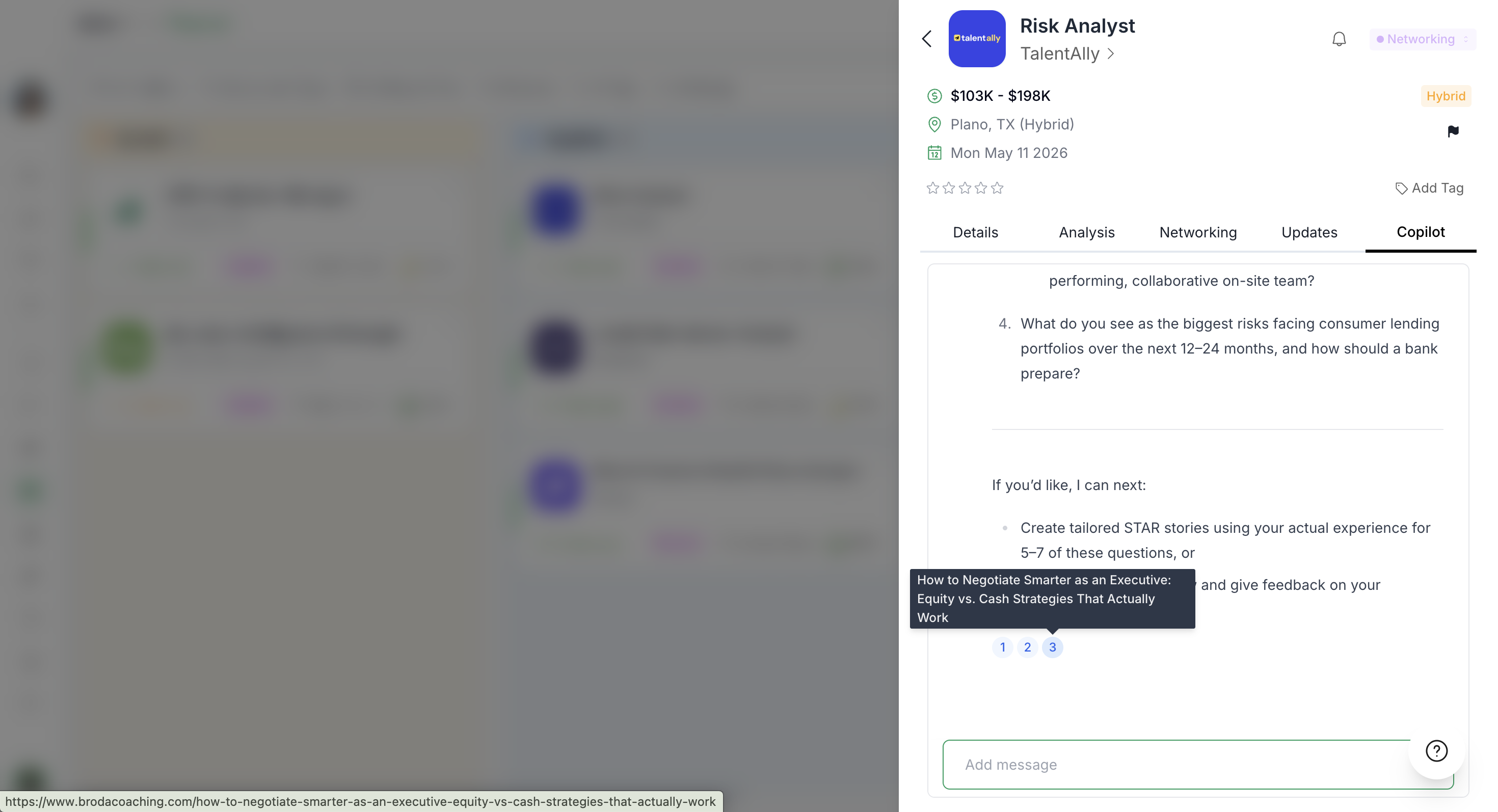
For example, the Copilot might reference an article you uploaded:
This builds trust with your clients and ensures all advice is grounded in your proven coaching methodologies.
Regularly update your training resources to keep Copilot responses current with your latest frameworks, market insights, and coaching strategies.
Best Practices for Training Your Copilots
Start with your core frameworks: Upload your foundational coaching materials first—these will have the biggest impact on response quality.
Use diverse resource types: Combine blog posts, PDFs, and website pages to give the Copilot a well-rounded understanding of your methodology.
Test with real queries: After adding resources, test the Copilots with common client questions to see how responses improve.
Update regularly: As you create new content or refine your coaching approach, add fresh training resources to keep advice current.
Be specific with prompts: The more precise your custom prompts, the more consistent the Copilot's tone and style will be.
Full Video Walkthrough
Watch the complete demonstration of customizing and training your Copilots: