
How to Use Companies
The Companies feature helps you organize and prioritize target companies for your job search. You can assign companies to tiers, track associated jobs and contacts, and discover networking connections at each company all in one place.
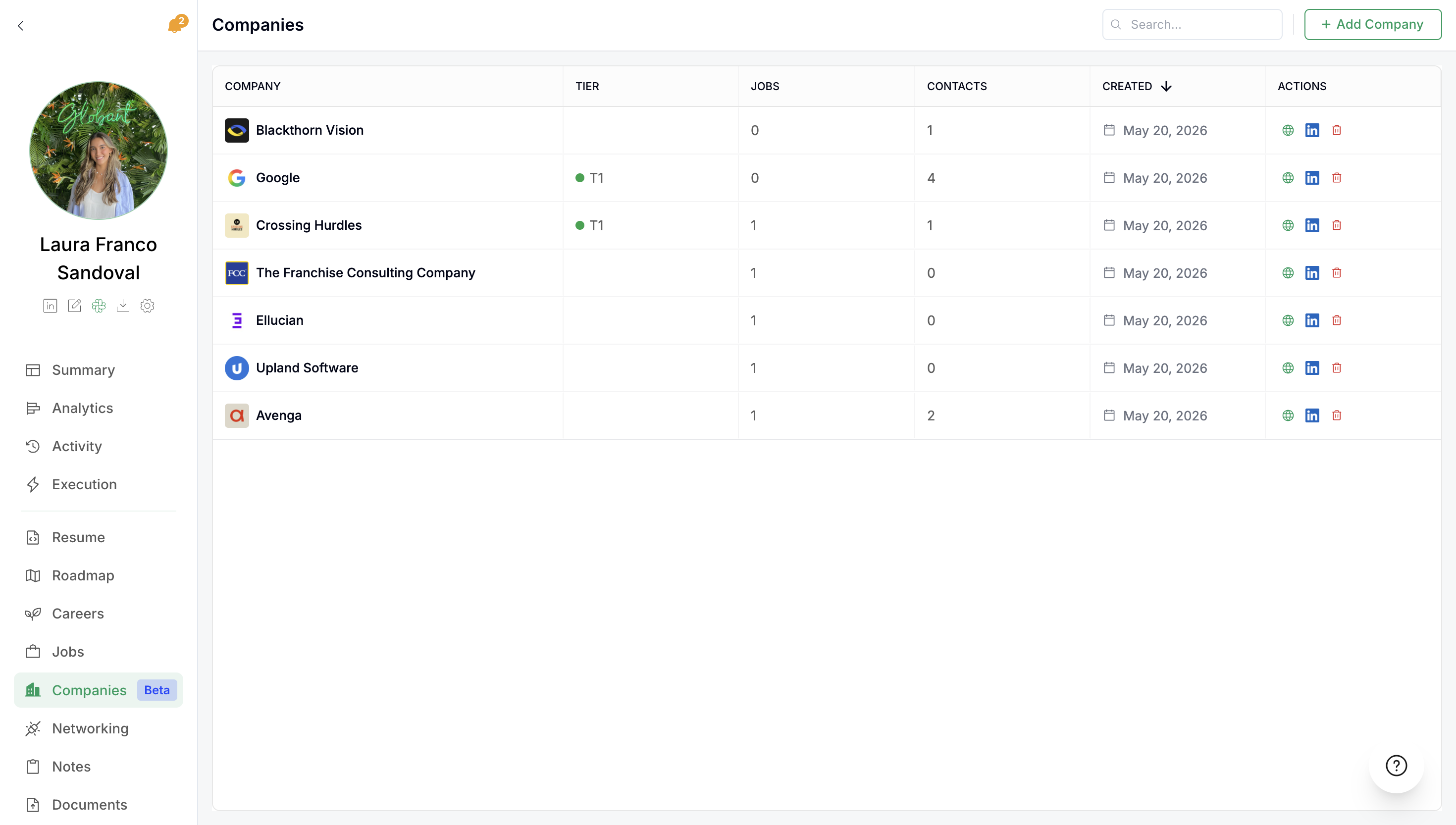
Companies will be added automatically after having saved a Job or a Contact from that company. You can also add them manually.
Understanding the Companies Table
The main Companies view displays a table with the following columns:
Company – The company name
Tier – The priority tier you've assigned (e.g., Tier 1, Tier 2, Tier 3)
Jobs – Number of active job applications at this company
Contacts – Number of networking contacts associated with this company
Created – Date in which the company was added (it can be through and added Job, Contact or manually)
Actions – Quick actions you can take on each company (Visit their website, LinkedIn page or delete them)
Manually Adding Companies
You can add companies to your list manually if you want to track specific organizations.
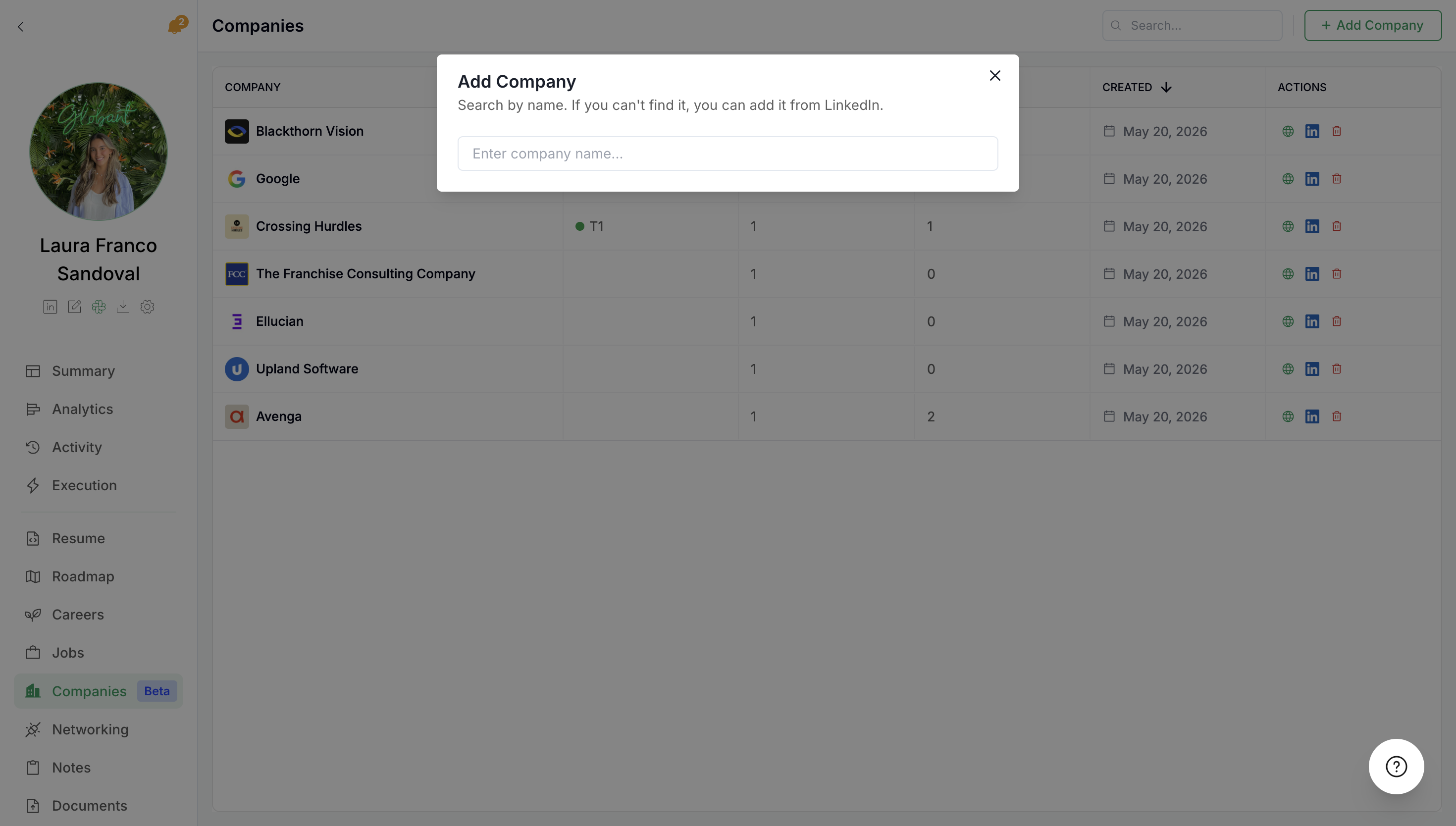
Type the company name into the Add a new company input field
Click Add Company
The company will appear in your table with default settings
Assigning Company Tiers
Tiers help you prioritize your target companies based on your strategy. Common tiering approaches include:
Tier 1 – Dream companies or highest priority targets
Tier 2 – Strong interest companies where you have connections or relevant background
Tier 3 – Interesting opportunities to explore
Assign tiers by clicking on the tier column for any company and selecting the appropriate level.
Viewing Contact Suggestions
Each company in your list can show contact suggestions to help you network effectively. The Contacts section displays recommended professionals you can reach out to. You don't need to have a Job saved to start networking for that company.
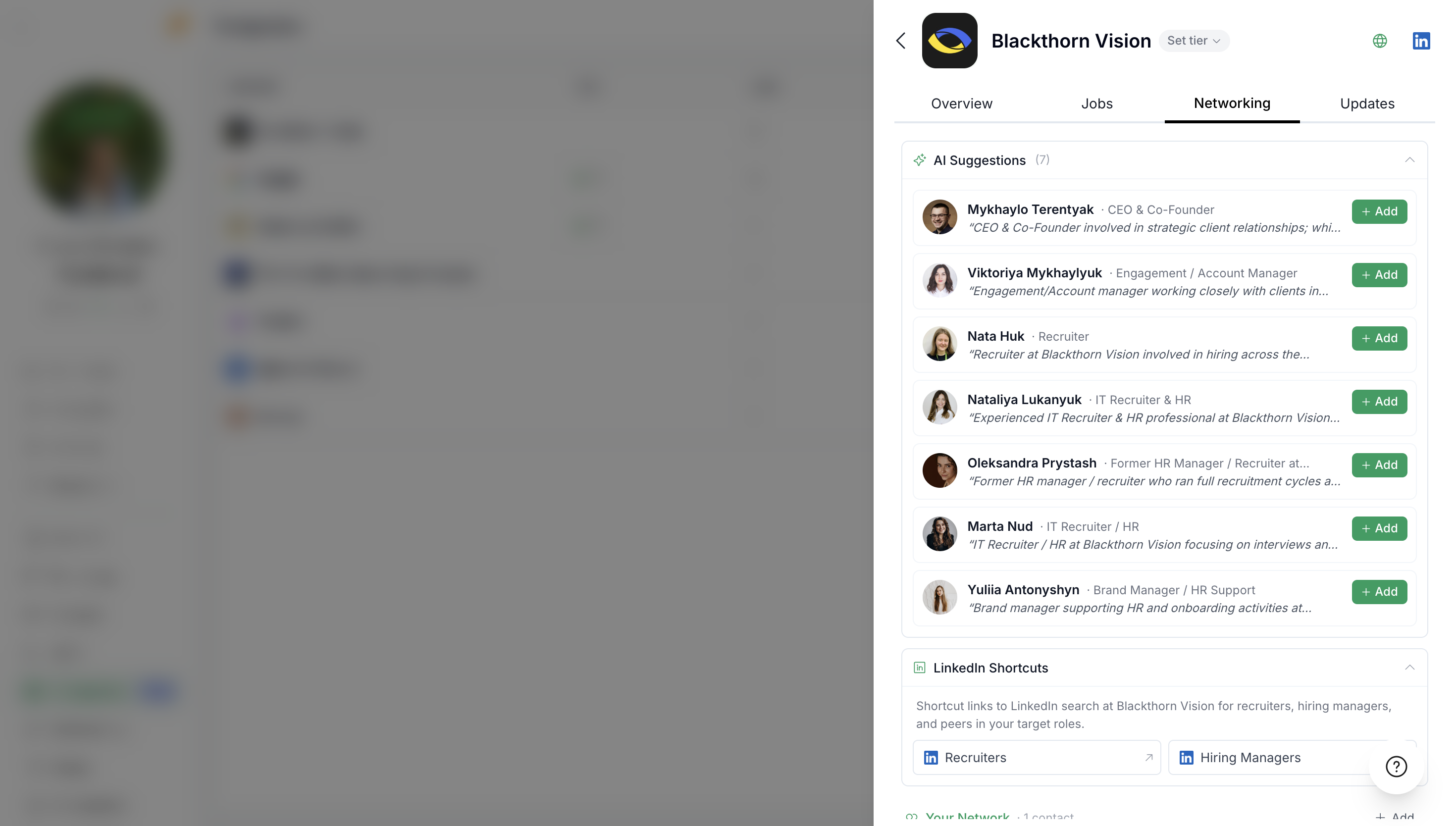
For each contact suggestion, you'll see:
Name and title – The person's name and their role at the company
+Add button – Quick action to initiate contact
Contact suggestions work best for larger companies with clear team structures. Smaller companies may have fewer or no suggestions because recruiter and hiring manager roles are less defined.
Connecting with Contacts
When you find a relevant contact:
Review their name and title to confirm relevance
Click +Add to add them to your networking pipeline
Follow up in the Networking section to track your outreach
Best Practices
Start with Tier 1 companies – Focus your energy on your highest-priority targets first
Review contact suggestions regularly – New recommendations may appear as company data refreshes
Video Walkthrough
Watch the complete demonstration of the Companies feature: